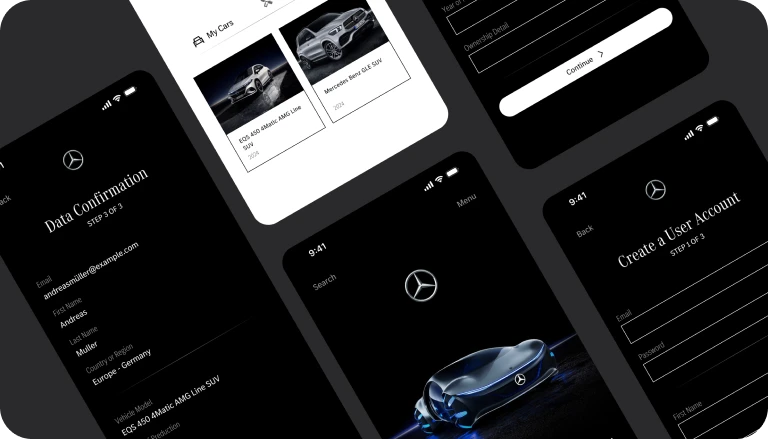
Project Overview
The Problem
A Mercedes-Benz owner and enthusiast would be looking forward to an easy and self-explanatory registration process so that they can, in a minimum span of time, provide their car details and personal preferences.
The Goal
Create a seamless process that captures essential car details and after-sales preferences while aligning with Mercedes-Benz’s high-quality design and technology standards.
Undestand Users
Our registration form empowers users to seamlessly provide essential details about their information, car model, and after-sales service preferences.
The goal is to ensure the registration process is streamlined, transparent, easy to use, and aligned with the brand’s high-quality design and technology standards.
Pain Points
- Complex Data Entry: Users struggle with inputting detailed car information due to a cumbersome form layout.
- Unclear Purpose: Lack of clarity about why certain details are needed leads to confusion during registration.
- Mobile Usability: The form is not optimised for mobile devices, causing frustration for users on smaller screens
User Persona
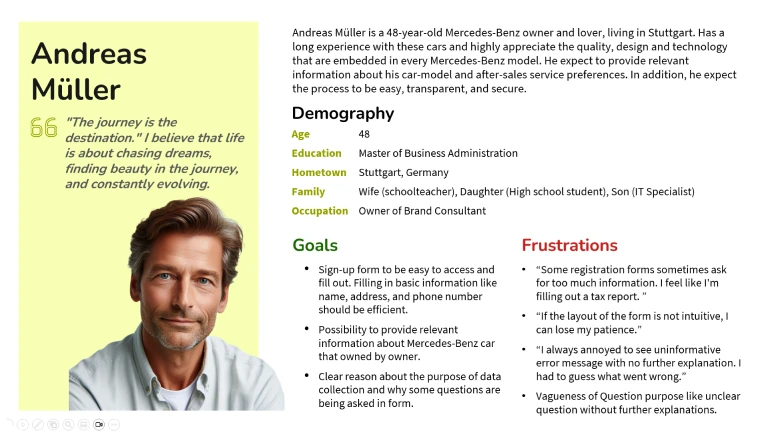
Andreas Müller
Andreas Müller is a Mercedes-Benz owner and enthusiast who needs a user-friendly and secure registration form because he wants to provide relevant information about his car model and after-sales service preferences.
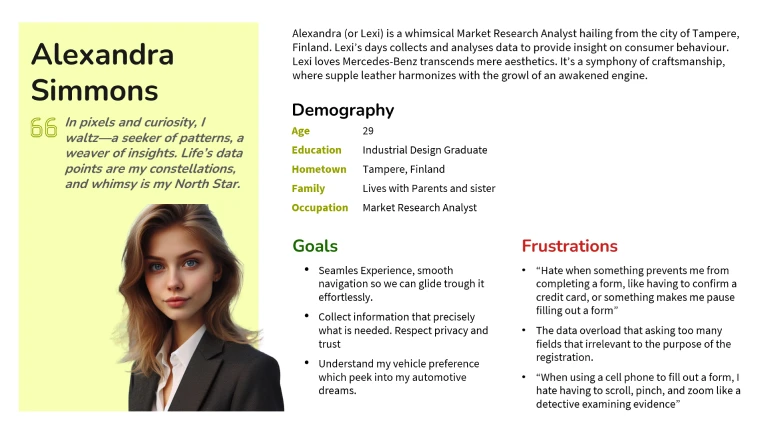
Alexandra Simmons
Alexandra is a Mercedes-Benz enthusiast who needs a user-friendly registration form because she wants to get a vehicle recommendation based on her profile and preferences.
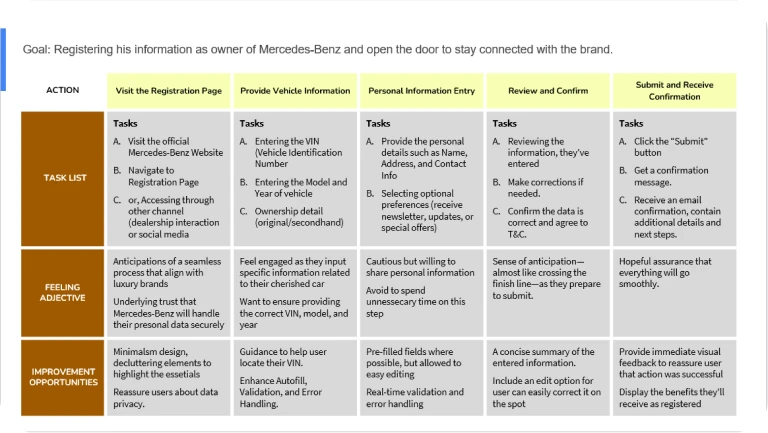
User Journey Map
Mapping Alexandra and Andreas’ user journey revealed how helpful it would be for users to have a seamless registration form.
Paper Wireframe
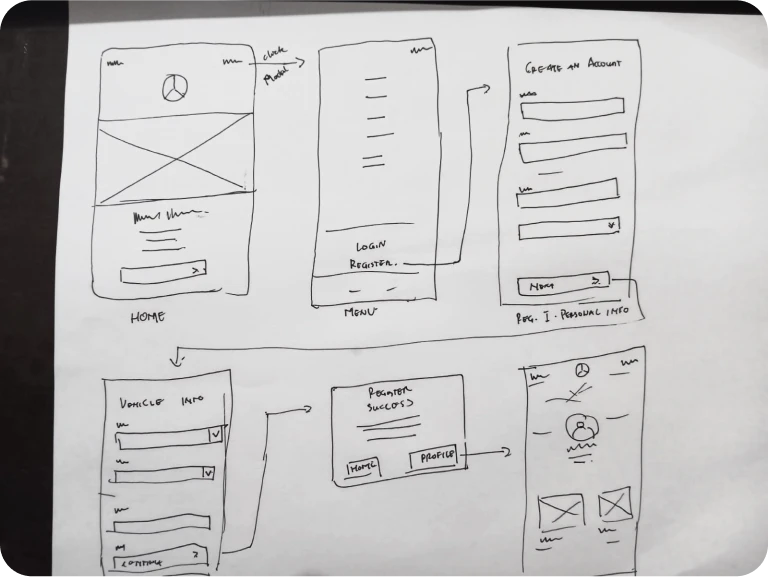
Taking the time to draft iterations of each screen of the app on paper ensured that the elements that made it to digital wireframes would be well-suited to address user pain points.
Digital Wireframe and Lo-Fi Prototype
As the initial design phase continued, I made sure to base screen designs on feedback and findings from the user research. Key features included easy access to open navigation bar and access to the registration form.
Low-fidelity wireframes of the Mercedes-Benz registration form are just one rapid and necessary blueprint through which we can validate structure and flow prior to diving into visual design.
Usability Study: Findings
I conducted one round of usability studies. Finding helped guide the designs from initial wireframes to mockups.
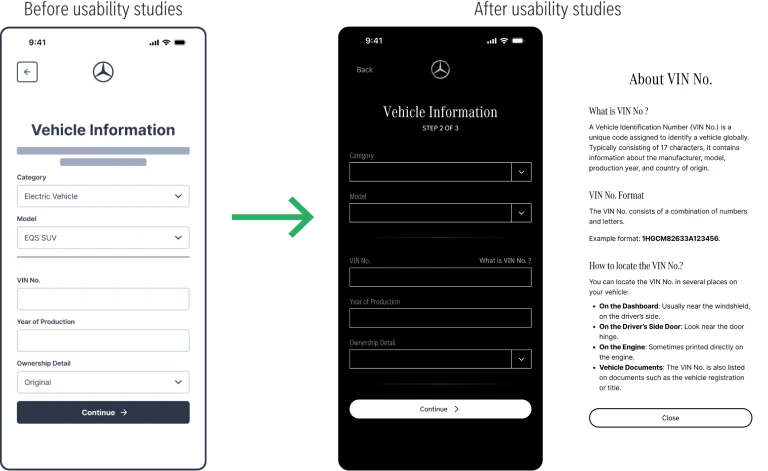
- In general, most users are not familiar with the term of VIN No.
- Quick edit while confirming data
- Email confirmation
Refining the Design
Early designs allowed the user to fill in vehicle information, but most users did not know what a VIN No. is. I added clearer guidance as to the format of the VIN No. to help users input this data correctly.
Key Mockups
Hi-Fidelity Prototype
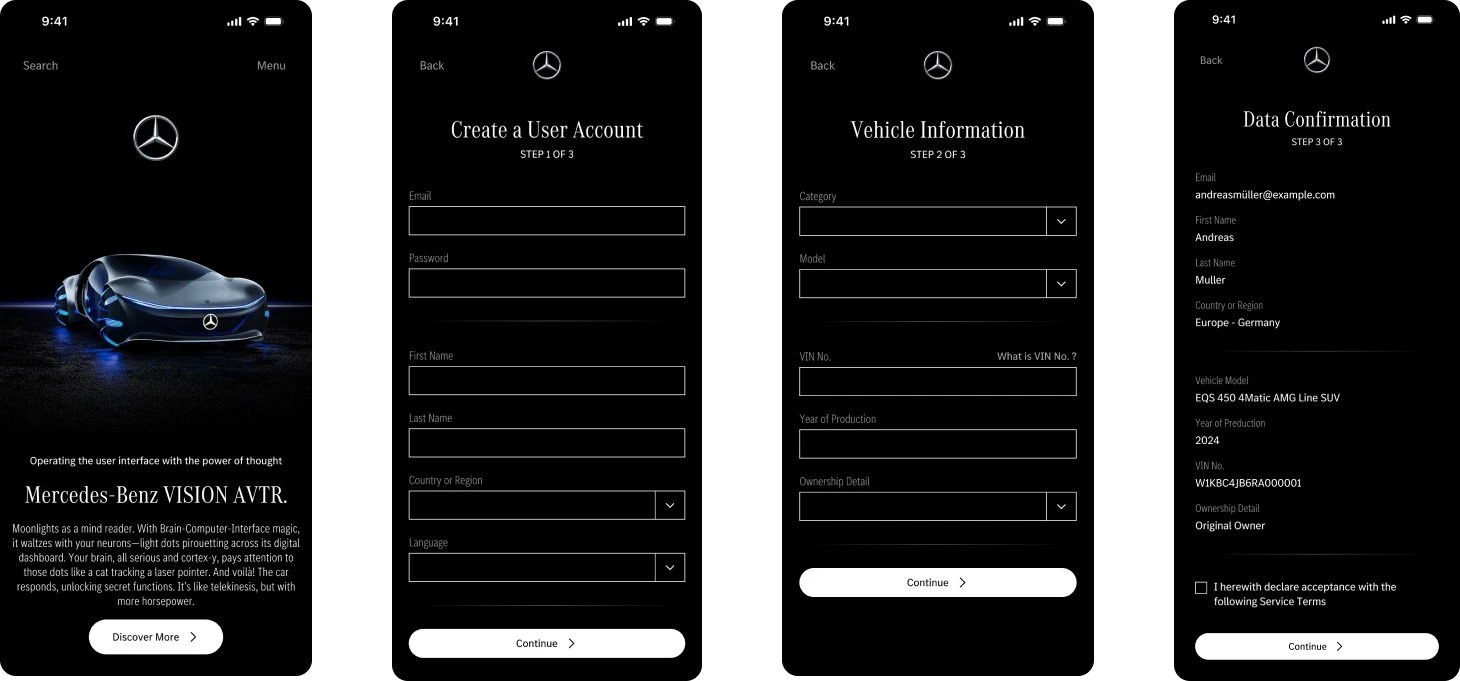
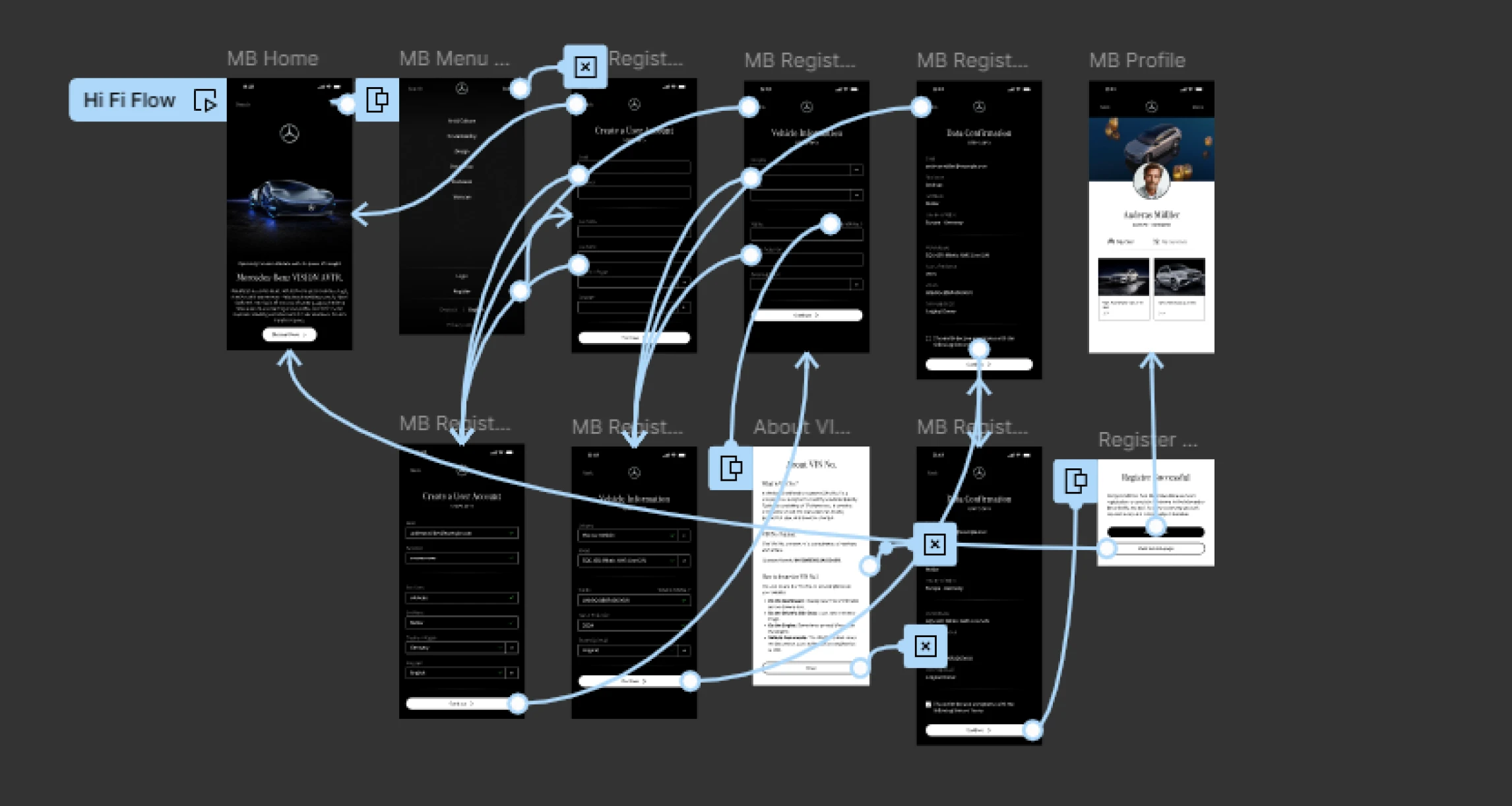
This is the final high fidelity prototype, representing cleaner user flows to register into the Mercedes-Benz platform. It meets all user needs with regard to seamless register flow and essential data needed.
Responsive Design
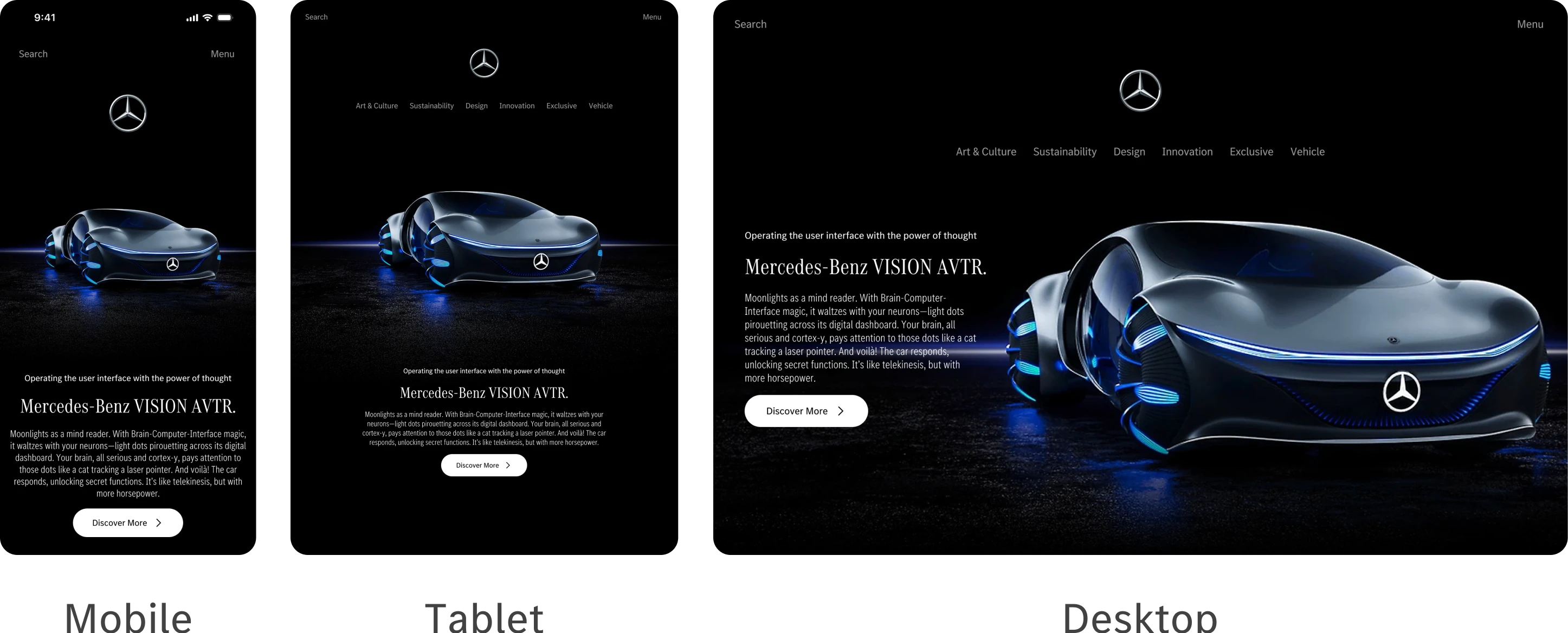
The designs for screen size variation included mobile, tablet, and desktop. I optimised the designs to fit specific user needs of each device and screen size.
Accessibility Considerations
Three things to describing an accessible registration form for Mercedes-Benz
- Clear and concise labels by using descriptive labels that are easy to understand.
- Ensure that users can navigate the form using keyboard shortcuts and that focus states are clearly visible.
- High contrast, easy to read text Select legible fonts and font sizes.
Takeaways
Impact
Our simplified registration form has made the user experience much better for Mercedes-Benz owners and enthusiasts. Now it has become very smooth for them to mention the critical information during onboarding.
What I Learned
By doing regular usability testing and continuous feedback cycle, we were able to improve the form iteratively. Incredibly valuable when it came to learning from user interactions
Next steps
- Localisation: Adapt the form for different regions, considering language variations, cultural nuances, and legal requirements
- Error Handling: Enhance error messages and validation to guide users effectively when they encounter issues.
- Analytics and Optimalisation: Monitor user behavior, identify bottlenecks, and optimize the form based on data-driven insights.
© 2024. All Right Reserved to Gani Prayoga